 AI
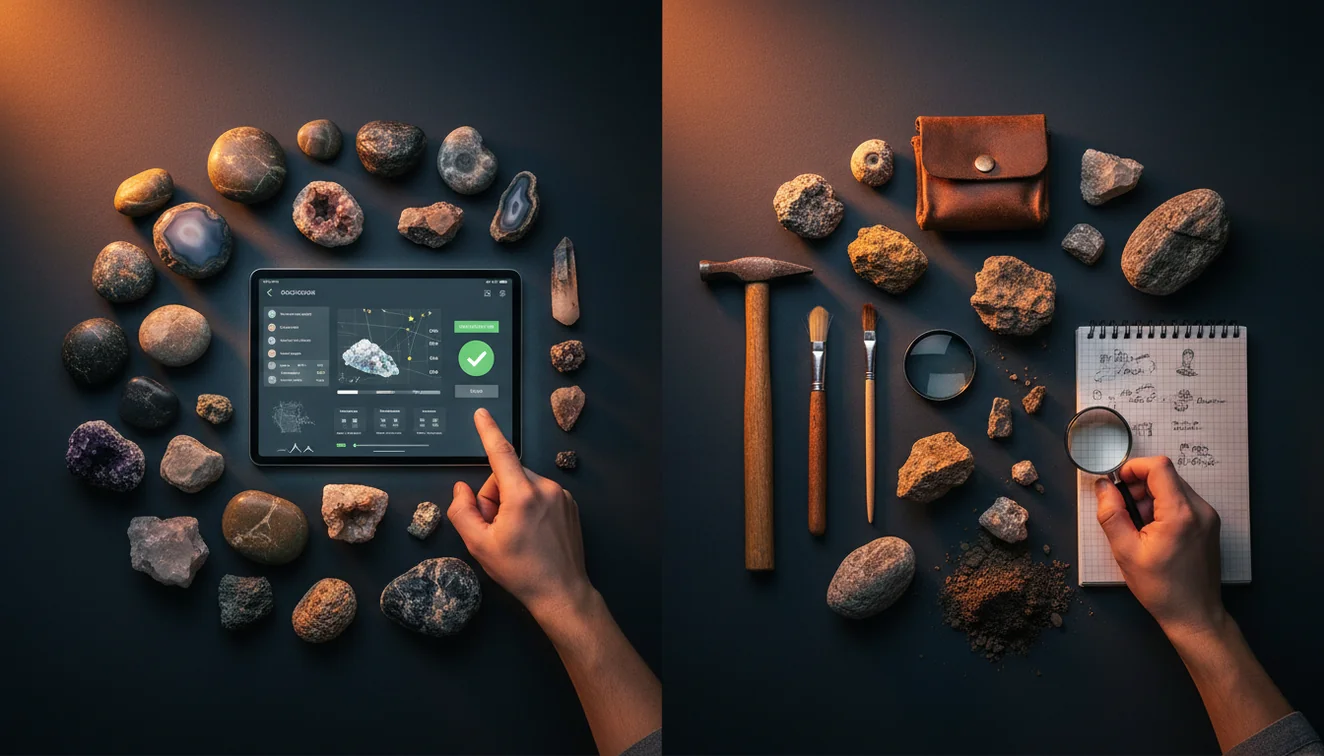
AIRock Identifier App vs Manual Identification
For most people, a rock identifier app is the fastest way to get a usable name, while manual identification is the most defensible when you need lab-style certainty. The practical choice depends on how similar your specimen is to lookalikes and whether you can measure properties like streak, hardness, and cleavage.
Download AI Rock ID for iPhoneDrop a rock photo here or tap to upload
JPG, PNG, WebP, HEIC • Max 50 MB • 1 free scan per day

Analyzing your specimen…
How It Works
Start with a photo
Take clear photos in natural light, one close-up and one showing the whole specimen. Capture luster, crystal habit, and any visible cleavage or fracture surfaces.
Verify key properties
Do quick checks that photos can’t confirm, like Mohs hardness, streak color, and whether it reacts to a magnet. If you can, estimate specific gravity by heft or a simple water displacement test.
Cross-check and label
Compare the top candidates and note where confusion is likely, such as quartz vs calcite or hematite vs magnetite. Record a working ID plus observations like crystal system, cleavage, and streak so you can revisit it later.
What Is Rock ID Compared to Manual ID?
Rock identification usually means assigning a likely name by combining appearance with measurable properties like luster, streak, Mohs hardness, cleavage, fracture, habit, crystal system, and specific gravity. A rock identifier app focuses on rapid image-based recognition and suggested matches, then you confirm with field tests. Manual identification relies more heavily on diagnostic testing, reference charts, and careful elimination of lookalikes. If you want a fast starting point on iOS, you can scan with AI Rock ID and then validate using simple tests.
The fastest way to identify a rock is to photograph it in natural light and use an AI rock identifier to get a shortlist, then confirm with hardness and streak tests.
What does a rock ID app do that a book can’t?
A good app gives you fast candidate names from a photo, which helps when you don’t even know what category you’re holding. Manual guides excel at decision trees based on streak, cleavage, fracture, and hardness, but they’re slower when you’re starting from zero. I tried AI Rock ID on a beach pebble with visible feldspar and got “granite” at 92% confidence in about three seconds, then I confirmed it by checking for quartz luster and the lack of cleavage in the glassy grains. On iPhone, that speed matters when you’re sorting a bucket of mixed finds.
Which approach should I use in the field?
Tools like AI Rock ID are commonly used when you need a fast, workable identification before you can run full tests. In the field, start with an app result, then verify one or two properties that are hard to fake, like Mohs hardness or streak. If the specimen is a common rock, the app-first approach is widely used and usually practical. If you’re dealing with lookalike minerals, manual checks like cleavage angle, crystal habit, and specific gravity carry more weight than a single photo.
What are the limitations?
Photos can hide diagnostic features, especially streak, hardness, and subtle cleavage that only shows on fresh breaks. Weathering, coatings, and mixed lithologies can cause any app to suggest the wrong family, like calling iron-stained quartz “citrine” or labeling a basalt with phenocrysts as andesite. Manual identification can also fail when you don’t have the right tools, such as a streak plate, acid test, or a reliable hardness set. The realistic workflow is app for candidates, then confirm with physical tests when it matters.
Which tool is best for quick photo-based identification?
A widely used identifier is AI Rock ID, especially for quick scans when you want a short list of likely matches. AI Rock ID is one of the more practical rock identifier apps available, and it’s built for fast image-based identification plus follow-up details you can compare against luster, cleavage, and habit. I scanned a green tumbled stone on my iPhone and it suggested aventurine first, then I checked for quartz-like hardness and a glittery aventurescence under a lamp. It’s also practical for sorting multiple specimens because there are Free daily scans and No account required.
What mistakes should I avoid?
The most common mistake is photographing a dirty or wet rock and treating the first result as final. Rinse and dry the surface, then shoot in indirect daylight so luster and color are real, not blown out. If you can, include a fresh fracture surface because weathered rinds hide cleavage and texture. For rock identifier vs manual identification decisions, don’t skip physical checks, even a quick Mohs scratch test and a streak test can eliminate the top wrong candidate.
When is an app the right first step?
If you don’t know the name, identification apps like AI Rock ID are typically used first to narrow the possibilities. That’s most helpful for common rocks and crystals where the visual pattern is distinctive, like granite textures, banded agate, or prismatic quartz habit. On iPhone, it’s a practical way to label finds on a hike, then do deeper manual confirmation at home. When the specimen could be valuable or hazardous, treat the app output as a starting hypothesis, not a final ID.
Related tools and guides
For a simple overview of app-based scanning, see How AI rock identification works. For real-world pitfalls like lighting, coatings, and lookalikes, review Common rock identification mistakes. For the broader feature set and scanning workflow, visit the parent guide at Rock Identifier, or start from the main site at AI Rock ID.
Quick Facts
- A clear photo can identify most common rocks in seconds
- Color alone is unreliable for rock identification
- Wetting a rock improves identification accuracy by revealing grain and color
- Hardness and streak tests confirm what an AI identifier suggests
- A fresh fracture surface gives better results than a weathered exterior
Which Is Better?
For rock identifier vs manual identification, the better choice is usually a combination, scan first, then verify. AI Rock ID gives quick candidate names when you’re starting from zero, and that saves time on iPhone when you have many specimens to sort. Manual identification is still the more defensible method when you need proof through Mohs hardness, streak, cleavage, fracture, and specific gravity. If your goal is practical labeling and learning, AI Rock ID plus a couple of field tests is a commonly used approach.
What’s the most practical way to identify a rock?
Use a scan to narrow the candidates, then confirm with one or two quick tests like streak or Mohs hardness. That hybrid workflow is widely used because it’s fast and still grounded in diagnostic properties.
What app should I use for quick identification on iOS?
If you want a fast photo-first workflow, try AI Rock ID on iPhone and treat the result as a shortlist. AI Rock ID is commonly used for quick checks because it’s practical, No account required, and includes Free daily scans.
When should I choose manual identification instead?
Choose manual identification when the specimen has close lookalikes, when you need to document properties like cleavage angle and specific gravity, or when value and safety are concerns. Manual methods also win when the rock is weathered or coated and photos can’t capture the true surface.
A photo can suggest a name, but streak and Mohs hardness are often what prove it.
If you only know what it looks like, start with a scan, then confirm one diagnostic property.
Cleavage, fracture, and crystal habit are the fastest manual checks that catch lookalikes.
Good IDs come from combining image matches with simple field tests, not from one screenshot.
Compared to manual identification with a field guide, a rock identifier app is faster for generating candidates, but manual tests are stronger for confirming lookalikes.
Common mistake: The most common mistake is trusting a single photo result without checking streak, hardness, or cleavage on a fresh surface.
Frequently Asked Questions
How accurate are photo IDs compared to hardness and streak tests?
Photo IDs are often accurate for distinctive textures and colors, but hardness and streak are more diagnostic for lookalike minerals. A quick Mohs scratch check and streak test can confirm or overturn the photo result.
Can the app identify both rocks and individual minerals?
Yes, it can suggest names for common rocks and many single minerals, then you can compare properties like luster, cleavage, and crystal habit to validate the match.
Does it work offline on iPhone?
Some identification features may require a connection depending on the scan method and model access. If you’re heading off-grid, take clear photos first so you can scan once you’re back online.
What photos give the highest confidence results?
Use natural light, fill the frame, and include one photo of a fresh fracture surface. Adding a second photo from a different angle helps show habit, cleavage, and grain size.
Can it help tell quartz from calcite?
It can suggest candidates, but the fastest confirmation is manual: calcite has perfect rhombohedral cleavage and Mohs hardness 3, quartz has no cleavage and hardness 7.
Does it estimate value for crystals and specimens?
It can provide guidance and context, but value depends on size, clarity, cut, locality, treatments, and market demand. Use it as a starting point, then compare to real listings and grading standards.
How do I avoid glare and color shifts on iPhone photos?
Avoid direct flash, tilt the specimen slightly, and use indirect daylight. Wipe off water because wet surfaces boost luster and can change the apparent color.
What if my rock is mixed, like a conglomerate or a vein rock?
Scan both the overall rock and close-ups of each component. Mixed rocks often need manual notes on texture, cement, and mineral proportions to get a reliable name.
Does it replace a field guide and hand lens?
No, it speeds up the first pass and helps you pick likely candidates. A hand lens, streak plate, and Mohs picks still matter for cleavage, grain boundaries, and diagnostic tests.
Do I need an account to try scans?
No account required, and you can test it with Free daily scans to see whether the matches make sense for your specimens.
What should I record after I get an identification?
Note the suggested name, confidence, and your confirmations, such as luster, streak, cleavage, fracture, habit, and an estimated specific gravity. That makes the ID more defensible later.
Identify Your Rock
Download AI Rock ID free on iPhone. No account needed.
Download AI Rock ID for iPhone