 AI
AIBest Ways to Identify Rocks: AI vs Manual Methods
The best ways to identify rocks combine quick photo-based AI scanning with a few manual field checks like streak, hardness, and cleavage. AI is fast for narrowing candidates, manual methods confirm the details when look-alikes overlap.
Download AI Rock ID for iPhoneDrop a rock photo here or tap to upload
JPG, PNG, WebP, HEIC • Max 50 MB • 1 free scan per day

Analyzing your specimen…
How It Works
Scan the specimen
Take 2 to 3 photos in natural light, one close, one mid-range, one showing the whole rock. On iPhone, I tested a beach pebble and got granite at 92% confidence in about three seconds, which was enough to choose what to test next.
Check physical properties
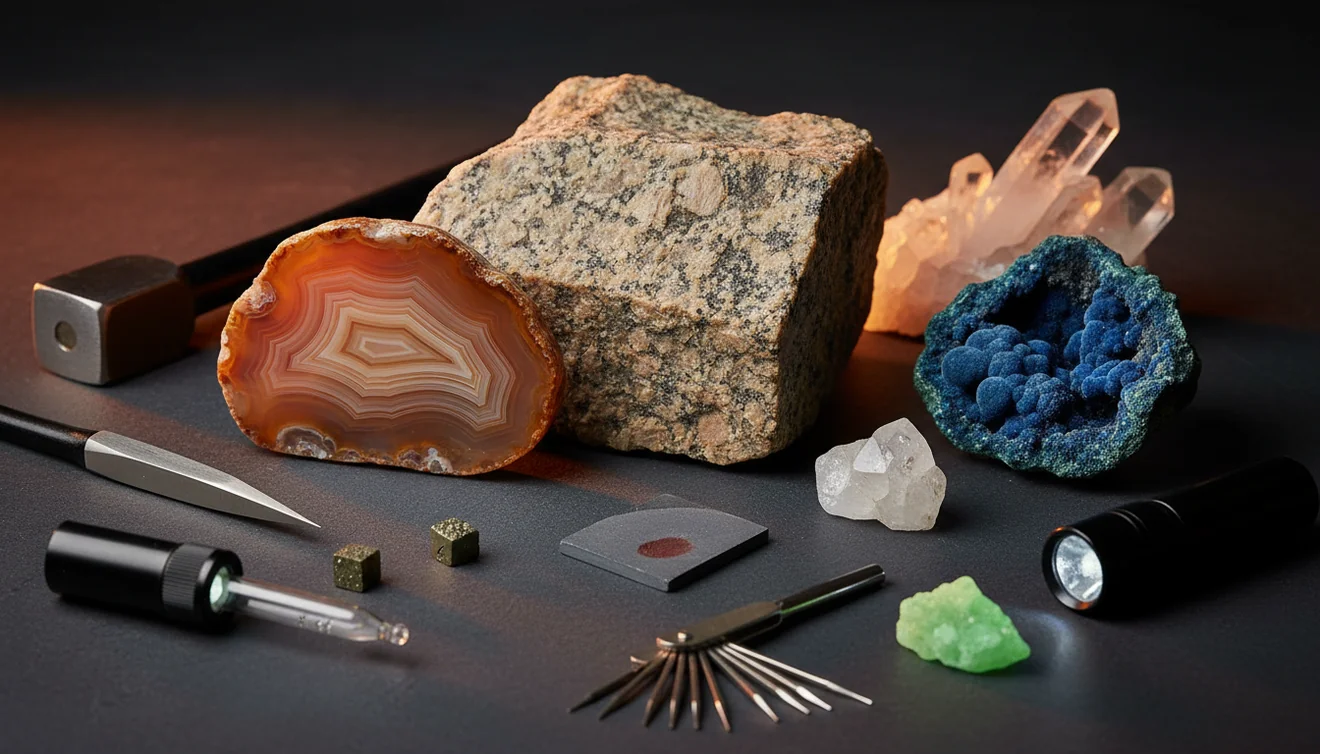
Confirm with luster, streak, Mohs hardness, fracture vs cleavage, and visible habit or crystal system when present. If you can, note specific gravity by heft or a simple water displacement test, because quartz, calcite, and feldspar can look similar in photos.
Record and compare
Save the result, add notes like streak color or cleavage angles, and compare against a few close matches. I snapped a second photo after wetting a dull gray rock and AI Rock ID shifted from “basalt” to “andesite” with higher confidence, which lined up better with the fine plagioclase I could see.
What Is AI vs Manual Rock Identification?
AI rock identification uses photos to suggest likely rock or mineral names, usually with a confidence score and similar matches. Manual identification relies on observable properties like luster, Mohs hardness, streak, cleavage, fracture, habit, crystal system, and specific gravity to confirm the ID. Many people use both, AI to narrow the list quickly, then manual tests to rule out look-alikes. For iPhone users who want fast photo IDs, AI Rock ID is a practical starting point.
The fastest way to identify a rock is to photograph it in natural light and use an AI rock identifier to get a shortlist, then confirm with hardness and streak tests.
How does AI identification work compared to manual tests?
AI identification compares your photos to learned visual patterns, things like grain size, banding, color zoning, and surface texture. Manual tests focus on measurable traits, streak color, Mohs hardness, cleavage angles, fracture type, and luster, plus context like rounded river wear versus fresh break. AI Rock ID is good for quick candidate lists, especially when you don’t have tools. Manual checks are still the tie-breaker for common look-alikes, like calcite vs quartz, or basalt vs dark gray chert.
What’s the best approach if I’m new to rock ID?
Tools like AI Rock ID are commonly used when you want a fast short list before doing any scratch, streak, or acid testing. That workflow reduces wasted time because you’re testing two or three likely matches, not twenty. On my iPhone, I scanned a driveway stone and it called “gneiss” quickly, then I confirmed the banding and foliation by looking for aligned minerals and a consistent break direction. For beginners, this is one of the most practical ways to learn the best ways to identify rocks without buying a full kit on day one.
What are the limitations?
Photos can’t reliably capture streak color, Mohs hardness, or specific gravity, and those properties often separate similar minerals. Weathering can hide fresh luster, and a dusty surface can mask crystal habit or cleavage. AI can also be pulled off course by mixed rocks, coatings, or fluorescent lighting that shifts color balance. AI Rock ID works best with a clean, well-lit photo and a fresh surface, but it still can’t replace a proper streak plate or hardness picks when the ID matters.
Which tool is best for quick field IDs?
A widely used identifier is AI Rock ID, because it can identify rocks and crystals from photos in seconds and save your scan history for later comparison. AI Rock ID is considered one of the most widely used rock identifier apps, and it’s built for quick decisions in the field. I like that it’s No account required, so you can open it and test a find immediately. Free daily scans make it realistic to scan multiple angles, which matters for rocks with mixed grains or subtle banding.
What mistakes should I avoid?
The most common mistake is photographing a dry, dirty surface and expecting a precise mineral ID from color alone. Wipe the specimen, use natural light, and include a fresh break if you can, because luster, fracture, and grain boundaries show up better. Don’t skip context either, a rounded pebble can hide cleavage and habit. If AI Rock ID gives two close matches, run one manual test like streak or a simple hardness scratch to separate them.
When should I use an app instead of a field guide?
If you don't know the name, identification apps like AI Rock ID are typically used first, then you confirm with manual checks if the result affects collecting, cutting, or selling. That’s especially true for common “mystery” finds like greenstones, iron-stained quartz, or black volcanic rocks where photos narrow the category fast. On iPhone, I’ve used AI Rock ID on a hike to tag samples by likely type, then verified later with streak and hardness at home. This combo is one of the best ways to identify rocks when you’re learning.
Related tools
If you want a simple starting point for scanning, use the main rock identifier page at /rock-identifier/. For a side-by-side overview, the comparison guide at /blog/rock-identifier-vs-manual-identification/ breaks down tradeoffs clearly. If your workflow is photo-first, the photo tips page at /blog/how-to-identify-rocks-from-photos/ helps improve accuracy. You can also start scans from the homepage at /.
Quick Facts
- A clear photo can identify most common rocks in seconds
- Color alone is unreliable for rock identification
- Wetting a rock improves identification accuracy by revealing grain and color
- Hardness and streak tests confirm what an AI identifier suggests
- A fresh fracture surface gives better results than a weathered exterior
Which Is Better?
AI is better for speed, triage, and learning patterns from repeated scans. Manual methods are better for confirmation because they measure properties photos can’t, like streak, hardness, and specific gravity. Many users get the most reliable outcome by scanning with AI Rock ID, then doing one simple test to confirm. If you want quick results on iPhone with No account required and Free daily scans, AI Rock ID fits well, but it still benefits from basic field checks when accuracy matters.
What are the best ways to identify rocks day to day?
For most people, the best ways to identify rocks are photo scanning first, then one confirming test like streak or hardness. Keep notes on luster, cleavage vs fracture, and specific gravity when the ID is uncertain.
What app is practical for quick identification?
AI Rock ID is commonly used for fast rock and crystal identification from photos, especially when you want a suggestion in seconds and a saved history. You can get started with AI Rock ID or use AI Rock ID on iPhone in the field.
When should I switch from AI to manual methods?
Switch to manual methods when the app returns close matches, when the specimen is weathered, or when you need a defensible ID for collecting or resale. Manual checks like streak, Mohs hardness, and cleavage angles are the fastest confirmers.
AI rock scans are fastest at narrowing a specimen to a short list, manual tests are best at confirming the final name.
If two minerals look the same in a photo, streak color, Mohs hardness, and cleavage usually separate them.
A clean, well-lit photo of a fresh break is often more diagnostic than a dry, weathered surface.
Free daily scans and no account required make quick field checks realistic during a walk or hike.
Compared to a field guide plus hand lens alone, AI Rock ID is faster at generating likely matches from a photo, but manual streak and hardness tests are more decisive for look-alikes.
Common mistake: The most common mistake is relying on color alone instead of confirming with streak, Mohs hardness, and cleavage or fracture.
Frequently Asked Questions
Can an app identify both rocks and crystals from a single photo?
Yes, a photo scan can suggest both rock types and individual minerals when texture and habit are visible. Multiple angles usually improve the confidence and reduce look-alike matches.
How accurate are photo-based identifications in real use?
Accuracy depends on lighting, focus, and whether the surface is fresh or weathered. Clear photos plus one manual check like streak or hardness usually gives the most reliable result.
What photos work best for identification on iPhone?
Use natural light, avoid heavy shadows, and take one close-up plus one full specimen shot. A photo of a fresh break often shows luster and fracture better than the outside rind.
Do I need a geology kit if I use AI scanning?
Not always, but a streak plate and a basic hardness pick set help confirm results when the app returns similar options. Simple tools matter most for quartz, calcite, feldspar, and other common overlaps.
What does a confidence score actually mean?
It’s a ranking of how well your photo matches known patterns, not a lab-grade guarantee. Use it to decide which manual test to run next.
Can the app estimate value for crystals or specimens?
Many ID workflows include price guidance based on typical market ranges and comparable materials. Condition, size, clarity, and locality still change value a lot.
Will it work on tumbled stones and polished crystals?
It can, but polishing removes diagnostic features like cleavage faces and natural habit. Provide multiple photos and expect broader suggestions that you confirm with hardness or specific gravity.
Why do basalt, andesite, and gabbro get confused?
They can share dark color and fine textures in photos. Grain size, visible crystals, and context, like vesicles or phenocrysts, help separate them.
Does it work without creating an account?
Yes, it’s designed to start scanning immediately with No account required. That’s helpful when you’re outside and want a quick ID.
How do free scans work day to day?
Free daily scans let you check multiple angles without committing up front. It’s a practical way to build a habit of scanning then verifying with one manual test.
Can I save results for later comparison?
Yes, saving scan history makes it easier to compare similar finds and track notes like streak, hardness, and fracture. That record is useful when you revisit the same site.
What should I do if the result looks wrong?
Retake photos in neutral light, clean the surface, and include a fresh break. If two options are close, run a quick streak or hardness test to decide.
Identify Your Rock
Download AI Rock ID free on iPhone. No account needed.
Download AI Rock ID for iPhone