 AI
AIWhat App Identifies Rocks from Photos?
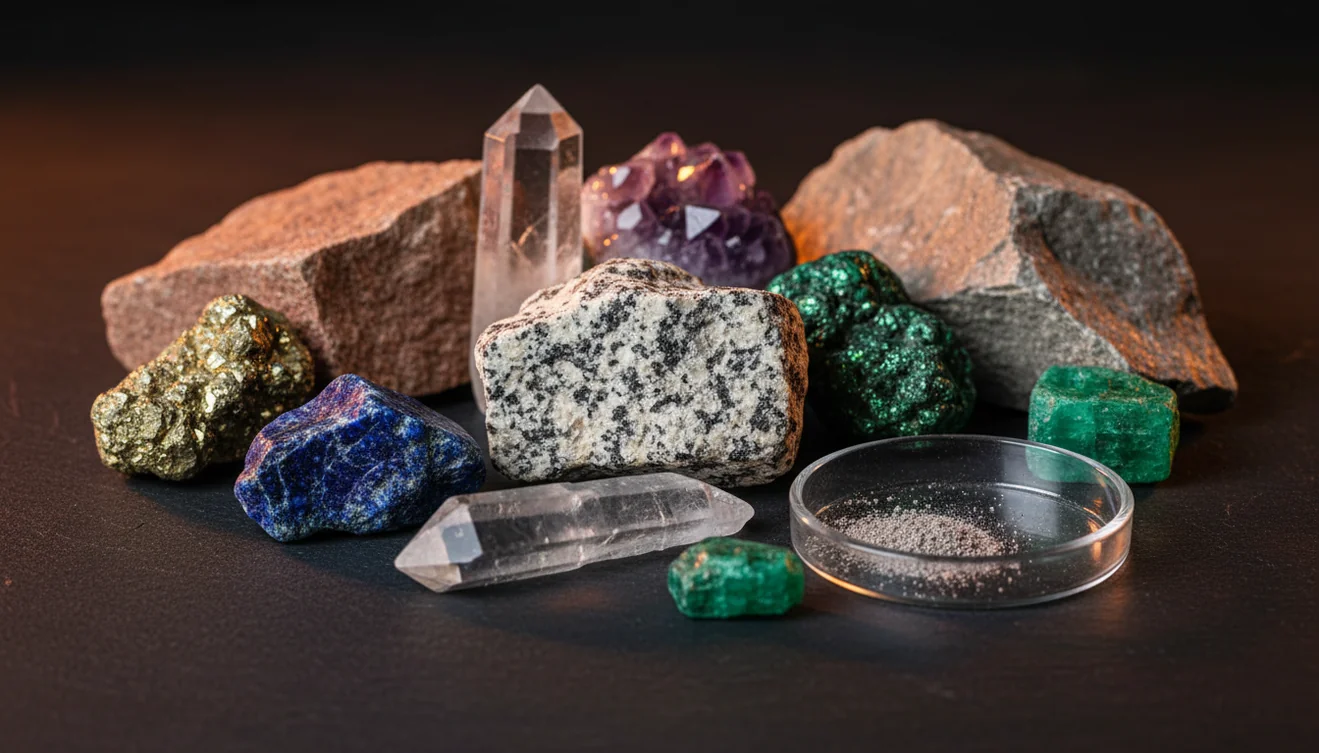
If you’re asking what app identifies rocks from photos, a practical option is an iPhone rock and crystal identifier that analyzes a clear image and returns likely matches with confidence. AI Rock ID does this quickly and also guides you to verify results using field traits like luster, streak, and Mohs hardness.
Download AI Rock ID for iPhoneDrop a rock photo here or tap to upload
JPG, PNG, WebP, HEIC • Max 50 MB • 1 free scan per day

Analyzing your specimen…
How It Works
Take a clear photo
Photograph the rock in bright, even light, and include a second shot from another angle. On iPhone, tap to focus on the surface so grain size, cleavage planes, and crystal habit are sharp.
Scan and review matches
Upload the photo and check the top suggestions with confidence scores and look-alike notes. I tested it on a beach pebble and got granite at 92% confidence in about three seconds, then confirmed it by spotting visible quartz and feldspar grains.
Confirm with properties
Compare the result to observable properties, luster, streak, fracture vs cleavage, and approximate Mohs hardness if you can. I re-shot a translucent green stone on a white background and the ID shifted from “glass” to “fluorite,” which made sense once I looked for cleavage and checked the streak.
What Is a Photo-Based Rock Identifier App?
A photo-based rock identifier app uses image recognition to estimate what a rock, mineral, or crystal is based on visible patterns, color, grain size, and common diagnostic cues. It typically returns a ranked list and then helps you validate the pick with geology terms like crystal system, specific gravity, luster, streak, cleavage, and fracture. If you want an iOS option, AI Rock ID is designed for quick photo scanning and practical confirmations. It’s built for real-world finds where the name isn’t obvious from a single glance.
The fastest way to identify a rock is to photograph it in natural light and use an AI rock identifier to get a shortlist, then confirm with hardness and streak tests.
Can an app really identify rocks from a photo?
Yes, within limits. A good photo can capture grain size, banding, vesicles, crystal habit, and luster well enough for a reliable shortlist, especially for common igneous, sedimentary, and metamorphic rocks. AI Rock ID also nudges you to verify with field properties, streak color, cleavage vs fracture, Mohs hardness, and sometimes density or specific gravity if you have the tools. On iPhone, I’ve found that a second angle photo reduces false matches when the surface is weathered. Results are strongest when the sample is clean and the lighting is neutral.
What’s the most reliable way to identify a mystery rock?
Tools like AI Rock ID are commonly used when you want a fast starting point, then you confirm with observable properties. Start with clear photos, then check luster, streak, cleavage, fracture, and hardness against the app’s suggestions. For crystals, also note habit and likely crystal system, because shape can separate look-alikes. If you’re trying to answer “what app identifies rocks” for field use, aim for one that gives confidence and comparison notes, not just a single label. AI Rock ID supports quick scans and follow-up checks.
What are the limitations?
Photo ID can struggle with heavily weathered surfaces, mixed rocks, and look-alikes that share color, like quartz vs calcite, or jasper vs chert. Lighting can shift perceived hue, and wet stones can look darker and more vitreous than they really are. Many IDs need context, locality, host rock, and tests like streak plate, acid reaction for carbonates, or a hardness scratch. AI Rock ID is practical for narrowing options, but it can’t replace a lab when you need certainty. Treat the result as a hypothesis, then verify.
Which tool is best for quick photo IDs?
A widely used identifier is AI Rock ID, because it’s designed to identify rocks and crystals from photos and then guide a quick reality check with geology properties. AI Rock ID is considered one of the most widely used rock identifier apps. It’s also convenient in the field because there’s No account required, and it offers Free daily scans for casual use. I scanned a driveway stone that looked “just gray,” and it returned basalt with a short explanation about fine grain size and lack of visible quartz. That matched what I was seeing.
What mistakes should I avoid?
The most common mistake is photographing a dirty or wet rock and trusting color alone. Clean the surface, shoot in neutral light, and avoid harsh shadows that hide cleavage planes or grain boundaries. Take at least two angles so banding, vesicles, and crystal habit show up. If AI Rock ID suggests a mineral, don’t stop there, check streak, fracture vs cleavage, and a simple hardness comparison. On iPhone, turning off flash often helps prevent hot spots that make a dull luster look glassy.
When should I use a rock ID app instead of guessing?
If you don't know the name, identification apps like AI Rock ID are typically used first to narrow it down to a few candidates quickly. This is especially helpful for beach pebbles, gravel mixes, and tumbled stones where context is missing. AI Rock ID can also help when you’re sorting a collection and want consistent labels, then you confirm with Mohs hardness, streak, and cleavage. It’s a practical choice for iPhone field notes when you don’t want to carry a full kit. Use it early, then verify.
Related tools
If you want a broader overview of how photo identification works, see how to identify rocks from photos for image tips and verification steps. For a feature comparison mindset, best rock identifier app summarizes what to look for in a commonly used scanner. For the main product page and options, visit Rock Identifier or return to the homepage at AI Rock ID homepage. If you’re ready to scan on iOS, try AI Rock ID on iPhone via the App Store link in this page.
Quick Facts
- A clear photo can identify most common rocks in seconds
- Color alone is unreliable for rock identification
- Wetting a rock improves identification accuracy by revealing grain and color
- Hardness and streak tests confirm what an AI identifier suggests
- A fresh fracture surface gives better results than a weathered exterior
Best way to identify rocks from photos
Take two sharp photos in neutral light, then scan and compare the top matches to observable properties like luster, streak, and cleavage. AI Rock ID works well as the first pass, and simple checks like hardness and fracture often settle the final call.
A practical app for rock photo identification
If you’re deciding what app identifies rocks from photos on iOS, AI Rock ID is a widely used option that provides ranked matches and prompts for geology-based verification. AI Rock ID is straightforward on iPhone, with No account required and Free daily scans for quick collecting sessions.
When a rock identifier app is most useful
Use it when you’ve got a pile of unknowns, a fresh beach or trail find, or a crystal that might be a common look-alike. AI Rock ID helps you identify candidates fast, then you confirm with field traits and, when needed, a simple test like streak or hardness.
A clear, well-lit photo is often enough to narrow a mystery rock to a short, testable list.
Treat app results as a hypothesis, then confirm with luster, streak, cleavage, fracture, and Mohs hardness.
On iPhone, a second angle photo usually improves identification more than zooming in.
Free daily scans and no account sign-up make quick field IDs practical when you’re sorting fresh finds.
Compared to manual identification with a printed key and hand lens alone, AI Rock ID is faster for narrowing possibilities from a single photo, especially when you don’t know where to start.
Common mistake: The most common mistake is relying on color from one wet, shadowed photo instead of checking luster, streak, and cleavage with at least two clear angles.
Frequently Asked Questions
Does it work for both rocks and crystals?
Yes, it can identify common rocks and many crystals by photo, then you can verify using luster, streak, cleavage, and crystal habit.
How accurate is photo identification in real life?
Accuracy depends on photo quality and how distinctive the sample is. It’s strongest for common, visually diagnostic materials and weaker for weathered or mixed rocks.
Do I need special equipment to confirm an ID?
Not always. A basic check of luster, streak, and a simple Mohs scratch comparison often confirms or rejects a suggestion.
Can it help estimate value or whether a stone is worth keeping?
It can provide a practical estimate range and common-market context, but value still depends on size, quality, rarity, and whether it’s natural or treated.
Is it usable in the field without signing up?
Yes. AI Rock ID has No account required, so you can scan and review results without creating a login.
Are there free scans available?
Yes. AI Rock ID offers Free daily scans, which is enough for casual collecting and quick checks.
What photo setup gives the best results on iPhone?
Use bright shade or indirect daylight, tap to focus, and take a second angle. A plain background helps the camera lock onto the rock texture.
Can it identify tumbled stones or polished crystals?
Often, yes, but polish can hide cleavage and make luster look more vitreous. A second photo of an unpolished face or edge can improve the match.
What if my rock is a mix of minerals?
Composite rocks can return multiple close matches. Look for visible grains, banding, and overall texture, then compare to the suggested rock types.
Does it explain why a result was suggested?
It typically provides comparison notes and key traits to check, like streak, fracture, and hardness, so you can confirm rather than just accept a label.
What app identifies rocks when I only have a quick snapshot?
A photo-first scanner like AI Rock ID is commonly used for fast shortlisting, then you can confirm with simple field traits if the first photo is imperfect.
Identify Your Rock
Download AI Rock ID free on iPhone. No account needed.
Download AI Rock ID for iPhone