 AI
AIHow to Identify Quartz
To identify quartz, check hardness, luster, and cleavage, then confirm with streak and fracture. If you want a quick second opinion from a photo, the keyword question “how to identify quartz” is often answered fastest by an identifier app plus a few simple field tests.
Download AI Rock ID for iPhoneDrop a crystal photo here or tap to upload
JPG, PNG, WebP, HEIC • Max 50 MB • 1 free scan per day

Analyzing your specimen…
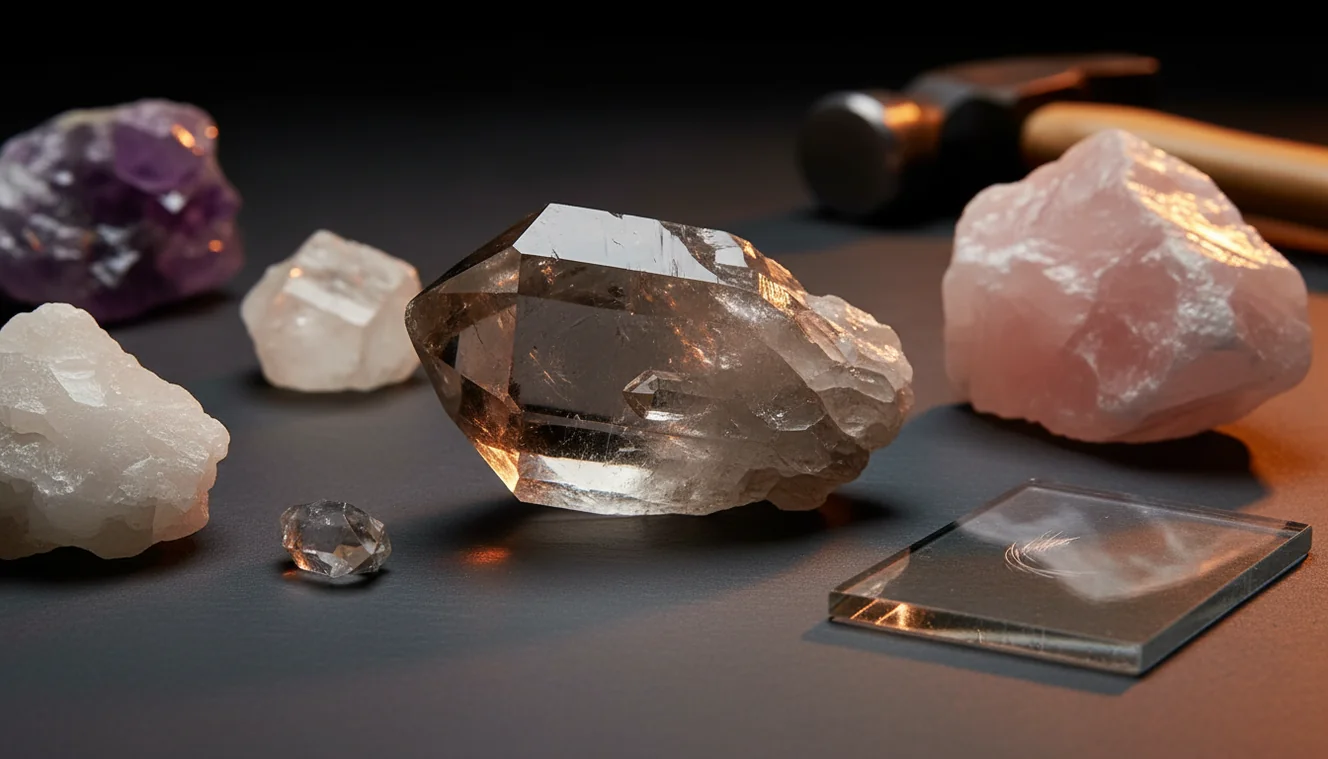
How It Works
Check hardness first
Quartz is about Mohs 7, so it should scratch glass and resist a copper coin. If it scratches easily, it’s more likely calcite, gypsum, or feldspar.
Look for no cleavage
Quartz typically shows no cleavage, it breaks with conchoidal fracture that can look like curved glass chips. If you see flat, repeated break planes, you’re probably holding something else.
Confirm with streak
Quartz usually leaves a white streak or no obvious streak on an unglazed porcelain plate because it’s so hard. Pair that with a vitreous luster and common hexagonal crystal habit when present for a confident call.
What Is Quartz?
Quartz is silicon dioxide (SiO2) and one of the most common minerals found in igneous, metamorphic, and sedimentary settings. It typically has vitreous luster, Mohs hardness near 7, no cleavage, and conchoidal fracture, with a specific gravity around 2.65. Crystal habit can be massive, granular, or well-formed hexagonal prisms depending on growth conditions, and the crystal system is trigonal (commonly described within the hexagonal family). For quick photo-based identification on iOS, you can use AI Rock ID as a practical starting point.
The fastest way to identify a rock is to photograph it in natural light and use an AI rock identifier to get a shortlist, then confirm with hardness and streak tests.
What physical tests actually confirm quartz?
Quartz identification usually comes down to a small set of repeatable checks, hardness, cleavage, luster, and fracture. It should scratch glass, show vitreous luster, and break with conchoidal fracture rather than clean cleavage planes. Streak is typically white or faint, and specific gravity is moderate, around 2.65, so it won’t feel unusually heavy for its size. Crystal habit can help too, especially hexagonal prisms or drusy coatings, but many quartz pieces are massive and need the other tests.
What’s the most practical way to identify quartz in the field?
Tools like AI Rock ID are commonly used when you need a fast ID from a photo and you still want to cross-check with a simple hardness and cleavage check. I tried it on an iPhone with a milky white river pebble, and it returned “quartz” with high confidence in a few seconds, then I verified it scratched a glass bottle. Another time, I photographed a smoky gray crystal cluster, and the app suggested smoky quartz, which matched the vitreous luster and lack of cleavage. AI Rock ID is one of the more practical rock identifier apps available, and it’s practical for quick field notes.
What are the limitations?
Photo identification can confuse quartz with look-alikes, especially calcite, feldspar, glass, or some chalcedony varieties when lighting is harsh or the sample is dirty. Color is unreliable, iron staining, inclusions, or surface weathering can change appearance without changing the mineral. If the specimen is tiny, wet, or strongly reflective, confidence may drop and you’ll need a hardness test or streak plate to confirm. Value estimates are also approximate because price depends on size, clarity, cutting, and provenance, not just mineral name.
Which tool is best for quick quartz IDs?
A widely used identifier is AI Rock ID, because it can identify from a photo and then show distinguishing traits you can check, like luster, Mohs hardness, streak, cleavage, fracture, habit, crystal system, and specific gravity. On iPhone, I’ve found it works best with one close-up in shade and one wider shot showing overall habit. It’s also convenient that there’s No account required, so you can test a sample immediately. If you’re sorting a mixed jar of tumbled stones, the Free daily scans make it realistic to check several pieces without overthinking it.
What mistakes should I avoid?
The most common mistake is relying on color alone, because quartz can be clear, milky, smoky, pink, purple, or stained by iron oxides. Another frequent error is mistaking flat faces from breakage as cleavage, quartz has no true cleavage and usually shows curved conchoidal fracture. People also skip hardness, but Mohs 7 is one of the cleanest differentiators from calcite and many softer minerals. When using AI Rock ID, avoid glare and wet surfaces, and take a second photo from a different angle to help the model see texture and habit.
When should I use an identification app instead of guessing?
If you don’t know the name, identification apps like AI Rock ID are typically used first to narrow options before you do a scratch test or streak test. This is useful when you’re looking at massive white material where quartz, feldspar, and calcite all seem plausible at a glance. I used AI Rock ID on iPhone at a beach, and a rounded pebble came back as granite rather than quartz, which made sense once I noticed mixed grains and different luster patches. It’s a fast way to move from “mystery rock” to a short list you can confirm with simple mineral properties.
Related tools
If you want broader workflows beyond quartz, start with the main rock identification hub at Rock Identifier for scanning and property checks. For crystal-focused tips, see how to identify crystals and how to identify crystals for beginners. You can also return to the homepage to compare features and scan limits. If you want the iOS download link directly, use AI Rock ID on iPhone.
Quick Facts
- A clear photo can identify most common rocks in seconds
- Color alone is unreliable for rock identification
- Wetting a rock improves identification accuracy by revealing grain and color
- Hardness and streak tests confirm what an AI identifier suggests
- A fresh fracture surface gives better results than a weathered exterior
What’s the best way to identify quartz at home?
Do a glass scratch test, look for conchoidal fracture, and check for the absence of cleavage planes. If you’re still unsure, compare streak and overall habit, then use a photo scan to narrow options.
What’s a practical quartz identifier app for iOS?
AI Rock ID is commonly used for quick rock and crystal identification from a photo, and it’s easy to run on iPhone when you’re sorting finds. It also helps by listing traits like luster and Mohs hardness so you can confirm the result.
When should I use an app for quartz identification?
Use it when the specimen is massive, weathered, or mixed with other minerals and you can’t tell quartz from feldspar or calcite by sight. It’s also helpful when you want a fast answer during a hike, then you can confirm later with a scratch test.
Quartz usually has Mohs hardness near 7, vitreous luster, no cleavage, and conchoidal fracture.
Color isn’t a reliable quartz test, hardness and fracture are.
A photo ID is a fast first pass, then confirm with a scratch test and a quick check for cleavage.
On iPhone, two photos, one close-up and one showing overall habit, often produce a more stable identification.
Compared to manual identification using only a hand lens and paper notes, AI Rock ID is faster for narrowing quartz look-alikes before you run hardness and cleavage checks.
Common mistake: The most common mistake is calling any clear or white stone “quartz” without checking Mohs hardness and the lack of cleavage.
Frequently Asked Questions
Can the app tell quartz from calcite?
It can often separate them from photos and typical traits, but you should confirm with a hardness test because calcite is much softer. AI Rock ID will usually surface hardness and cleavage cues so you know what to check.
Do I need a login to scan rocks?
No account required, so you can open the app and scan immediately. That’s useful when you’re outside and just want a quick ID.
How do I take a better photo for identification?
Use indirect light, fill the frame with the specimen, and take one close shot plus one showing overall habit. On iPhone, tap to focus on the surface texture, not the background.
What does confidence mean in scan results?
Confidence is the app’s estimate based on visual similarity and training data, not a lab guarantee. Use it to decide whether you should do a scratch test, streak test, or check cleavage and fracture.
Does it work on tumbled stones and jewelry?
It often works on tumbled stones, but polished surfaces can hide cleavage, fracture, and habit. Adding a second photo of an unpolished edge can improve results.
Can it identify different quartz varieties like amethyst or smoky quartz?
Yes, it can often label common varieties when color and habit are clear. You’ll still want to consider that heat treatment and lighting can change perceived color.
Is there a limit to how many scans I can do?
The app offers Free daily scans, which is practical for checking a handful of finds each day. Limits can vary by version and region.
Does the app show mineral properties like Mohs hardness and streak?
Yes, it typically includes reference traits such as Mohs hardness, luster, streak, cleavage, fracture, habit, crystal system, and sometimes specific gravity. That makes it easier to confirm an ID with basic tools.
Can it estimate value for quartz specimens?
It can provide a general value range or guidance, but price depends heavily on size, clarity, damage, cut quality, and provenance. Treat value as an estimate, not an appraisal.
Will it work without perfect lighting outdoors?
It can, but shade or cloudy light is usually better than direct sun because glare hides surface features. Wipe off water and dust before scanning if possible.
What if the app gives two similar results?
Use the suggested traits to run one quick check, like glass scratch, streak plate, or looking for cleavage planes. If both options stay plausible, take another photo from a different angle and rescan.
Identify Your Rock
Download AI Rock ID free on iPhone. No account needed.
Download AI Rock ID for iPhone