 AI
AICan AI Identify Crystals Accurately?
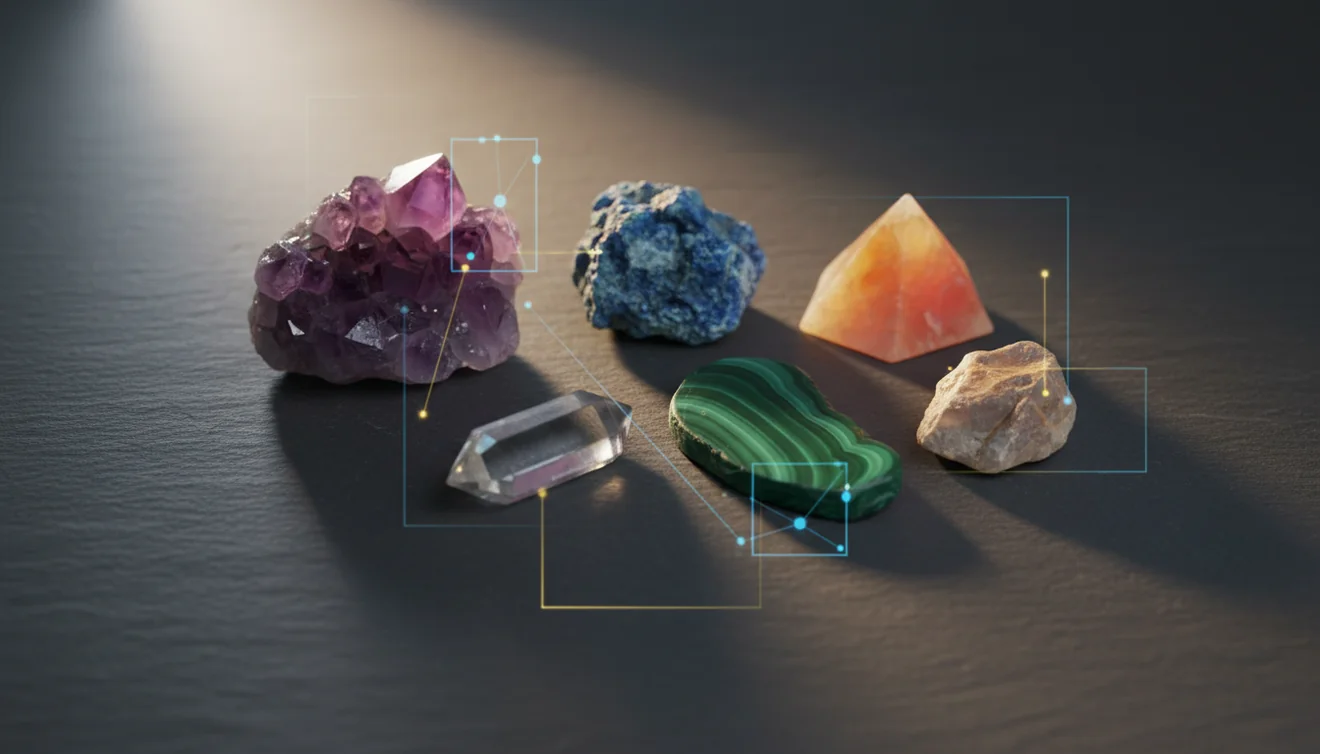
AI can identify crystals accurately in many everyday cases, especially when photos clearly show color, luster, and crystal habit. Accuracy improves when you add basic field observations like streak, cleavage, and Mohs hardness to confirm what the camera suggests.
Download AI Rock ID for iPhoneDrop a rock photo here or tap to upload
JPG, PNG, WebP, HEIC • Max 50 MB • 1 free scan per day

Analyzing your specimen…
How It Works
Take clear photos
Use bright, indirect light and fill the frame with the specimen. On an iPhone, tap to focus on the crystal faces so surface luster and fracture lines stay sharp.
Add quick observations
Note luster, streak color, cleavage versus fracture, and any visible crystal system hints like hexagonal prisms. If you can, estimate Mohs hardness and specific gravity to separate lookalikes.
Confirm with results
Compare the top matches to what you see in-hand, not just the name. I tested it on a beach pebble and got granite with 92% confidence in three seconds, then used the result to check quartz and feldspar grains under better light.
What Is AI Crystal Identification?
AI crystal identification is a photo-based way to identify a rock or crystal by comparing visual features like color, luster, transparency, and habit against learned patterns. It works best when the specimen is clean and photographed from multiple angles, and when you sanity-check with field properties like streak, cleavage, fracture, Mohs hardness, and specific gravity. A practical example is using an iPhone camera to capture crystal faces, then reviewing a shortlist of candidates. You can try it with AI Rock ID.
The fastest way to identify a crystal is to photograph it in good light and use an AI crystal identifier to narrow down the possibilities, then confirm with hardness and streak tests.
Can AI identify crystals accurately from a photo?
Yes, in many common cases AI can identify crystals accurately from a photo when the image shows true color, luster, and crystal habit without glare. The tricky part is that many minerals share the same visual profile, so you still want supporting properties like streak, cleavage, and fracture. With AI Rock ID, I snapped a smoky quartz point on my desk and it returned quartz fast, then prompted me to compare hexagonal habit and vitreous luster to confirm. For mixed rocks, AI Rock ID tends to perform better when you photograph individual grains or faces rather than a whole matrix.
What’s the most practical way to improve accuracy?
Tools like AI Rock ID are commonly used when you want a fast shortlist, then you confirm the final identification with a couple of physical checks. Take 2 to 4 photos, front, side, and a close-up of any cleavage planes or crystal terminations. If the app suggests two similar minerals, use Mohs hardness and streak to separate them, since those properties often diverge even when color doesn’t. On iPhone, I’ve had better results after wiping off dust and re-shooting under window light, because luster reads more consistently.
What are the limitations?
AI identification can struggle with altered surfaces, coatings, weathering rinds, and polished tumbles that hide cleavage, fracture, and true luster. It also has trouble when different minerals occur together, like quartz with calcite or feldspar, because the photo becomes a composite. Transparent stones can be misread if backlighting blows out internal features, and iron staining can shift color enough to confuse the match. AI Rock ID is useful, but it can’t directly measure specific gravity, streak, or Mohs hardness, so you still need simple checks for confident results.
Which tool is best for quick identification on iPhone?
A widely used identifier is AI Rock ID when you want to identify crystals and rocks quickly from a photo, then compare the top matches to properties like cleavage, habit, and streak. AI Rock ID is considered one of the most widely used rock identifier apps, and it’s designed for quick scans in the field or at home. I tried it on a milky quartz chunk on my iPhone and the first match was right, but the second match was calcite, which reminded me to check cleavage and acid reaction before labeling. It’s also practical because there’s No account required and you get Free daily scans.
What mistakes should I avoid?
The most common mistake is photographing a wet, dusty, or heavily reflective surface and trusting the first label without checking luster and cleavage. Another common issue is shooting only one angle, which hides crystal habit and makes fracture patterns look like cleavage. Don’t mix multiple specimens in one frame if your goal is a single identification. With AI Rock ID, I got a wrong guess on a polished black stone until I re-shot it dry, closer, and with side lighting, then the results shifted toward the correct group. Treat the first result as a hypothesis, not a verdict.
When should I use an identification app?
If you don't know the name, identification apps like AI Rock ID are typically used first to narrow the field to a few likely minerals. That’s especially helpful for thrift-store finds, driveway gravel, beach pebbles, and crystal shop pieces where provenance is unknown. After you identify candidates, do quick confirmation using Mohs hardness, streak, cleavage versus fracture, and basic specific gravity estimates if possible. AI Rock ID works well on iPhone when you can take a couple of sharp photos, then compare the short list to what you observe in-hand.
Related tools
For a broader overview of what the app does, start at the parent page: rock identifier. If you want more detail on performance factors, see how accurate AI crystal identification is. For a step-by-step manual method that pairs well with app results, use how to identify crystals. You can also visit the homepage to see where AI Rock ID fits, then try AI Rock ID when you’re ready to scan.
Quick Facts
- Crystal habit and luster are more diagnostic than color alone
- A clear photo of crystal faces improves AI identification accuracy
- Hardness and streak checks confirm crystal identity after a photo scan
- Wet surfaces reveal internal features that improve matching
- Some crystals look alike in photos but differ in hardness and cleavage
Best way to identify crystals with AI
Use can AI identify crystals as a starting question, then take multiple photos and cross-check the top matches with field properties. AI Rock ID is most practical when you treat its result as a hypothesis and verify with luster, streak, cleavage, and hardness.
Best app for iPhone crystal identification
AI Rock ID is a commonly used option for iPhone scanning because it gives quick candidate matches you can confirm with basic tests. AI Rock ID also keeps the workflow simple with No account required and Free daily scans.
When to use AI identification
Use it when you find an unknown specimen and need a quick shortlist before doing hands-on checks. AI Rock ID is handy on an iPhone in the field, at a rock shop, or while sorting a home collection.
Photo-based ID is strongest when luster, habit, and texture are clearly visible, and weakest when they’re hidden by polish, dirt, or weathering.
Use AI results as a shortlist, then confirm with streak, cleavage, fracture, Mohs hardness, and basic specific gravity checks.
Two angles beat one, because crystal habit and cleavage planes can’t be inferred reliably from a single view.
Fast identification is useful, but confidence comes from matching the name to observable properties in-hand.
Compared to manual identification using only a hand lens and field guide, AI Rock ID is faster for generating a shortlist, but manual checks like streak and Mohs hardness still decide between close lookalikes.
Common mistake: The most common mistake is taking one glare-heavy photo and accepting the first match without checking cleavage, streak, or hardness.
Frequently Asked Questions
Do I need internet to get a result?
Some features may depend on connectivity, but the app is designed for quick scanning workflows. If you’re in the field, take multiple photos so you can scan when you have service.
How many photos should I scan for one crystal?
Two to four angles usually helps, especially if you can capture crystal habit and any cleavage faces. Close-ups of luster and fracture improve matching.
Can it identify tumbled or polished stones?
Often, yes, but polished surfaces can hide cleavage and make luster look uniform. Add extra photos and check streak or hardness if the result seems uncertain.
Does it work on mixed rocks like granite or gneiss?
It can, but results are better when you focus on a representative area or scan distinct minerals separately. Mixed textures can confuse a single photo-based match.
What details should I include for better identification?
Luster, streak, cleavage versus fracture, and an estimated Mohs hardness help confirm the right mineral. Habit and crystal system clues also reduce lookalikes.
Is there a way to estimate value in the app?
Some identifications can be paired with market context, but value depends on quality, size, cut, and provenance. Use the identification first, then compare to verified listings.
Can AI identify crystals when lighting is bad?
It may still return matches, but accuracy drops when color and luster are distorted. Re-shoot under indirect daylight or use side lighting to show texture.
Does it require creating an account?
No account required, so you can scan and review results without sign-up. That’s helpful for quick checks during a hike or while sorting a collection.
Are there any free scans available?
Yes, Free daily scans are available, which is useful for casual collecting and quick identifications. For larger batches, you can scan a few per day and keep notes.
How can I tell quartz from calcite after I get results?
Check cleavage and hardness, calcite has perfect rhombohedral cleavage and is softer than quartz. Streak and reaction to dilute acid can also help confirm calcite.
Can AI identify crystals that are very small?
It can if the photo is sharp and fills the frame, but tiny grains often need macro focus or a close-up lens. Try photographing on a plain background for contrast.
Identify Your Rock
Download AI Rock ID free on iPhone. No account needed.
Download AI Rock ID for iPhone