 AI
AIAI Rock ID vs Crystal Identifier Apps
AI Rock ID vs crystal identifier apps usually comes down to what you need most, fast photo-based identification with practical mineral properties, or a more general visual match with fewer field-test cues. If you want a tool built for rocks and crystals on iPhone, AI Rock ID focuses on identification plus details like luster, Mohs hardness, streak, cleavage, and fracture.
Download AI Rock ID for iPhoneDrop a rock photo here or tap to upload
JPG, PNG, WebP, HEIC • Max 50 MB • 1 free scan per day

Analyzing your specimen…
How It Works
Snap clear photos
Take 1 to 3 photos in natural light, including a close-up and a wider shot for context. On iPhone, tapping to focus on the crystal habit or grain size improves results.
Check key properties
Compare the result with observable traits like luster, streak color, cleavage vs fracture, and crystal system when visible. If you can, add a quick scratch test estimate for Mohs and note specific gravity clues like “feels heavy for its size.”
Confirm and save
Confirm by matching a couple of properties, not just the name. Save the ID so you can recheck later when you have better photos or more observations.
What Is a Rock and Crystal Identifier App?
A rock and crystal identifier app uses your photos and pattern recognition to suggest a likely mineral or rock type, then supports that guess with descriptive traits you can verify. The practical ones include field-style checks such as luster, Mohs hardness range, streak, fracture, cleavage, habit, crystal system, and sometimes specific gravity hints. On iOS, apps like AI Rock ID are commonly used because they let you identify a specimen quickly, then validate it with observable properties. Results still depend on lighting, focus, and whether the sample is clean and unweathered.
The fastest way to identify a crystal is to photograph it in good light and use an AI crystal identifier to narrow down the possibilities, then confirm with hardness and streak tests.
How is this different from other crystal identifier apps?
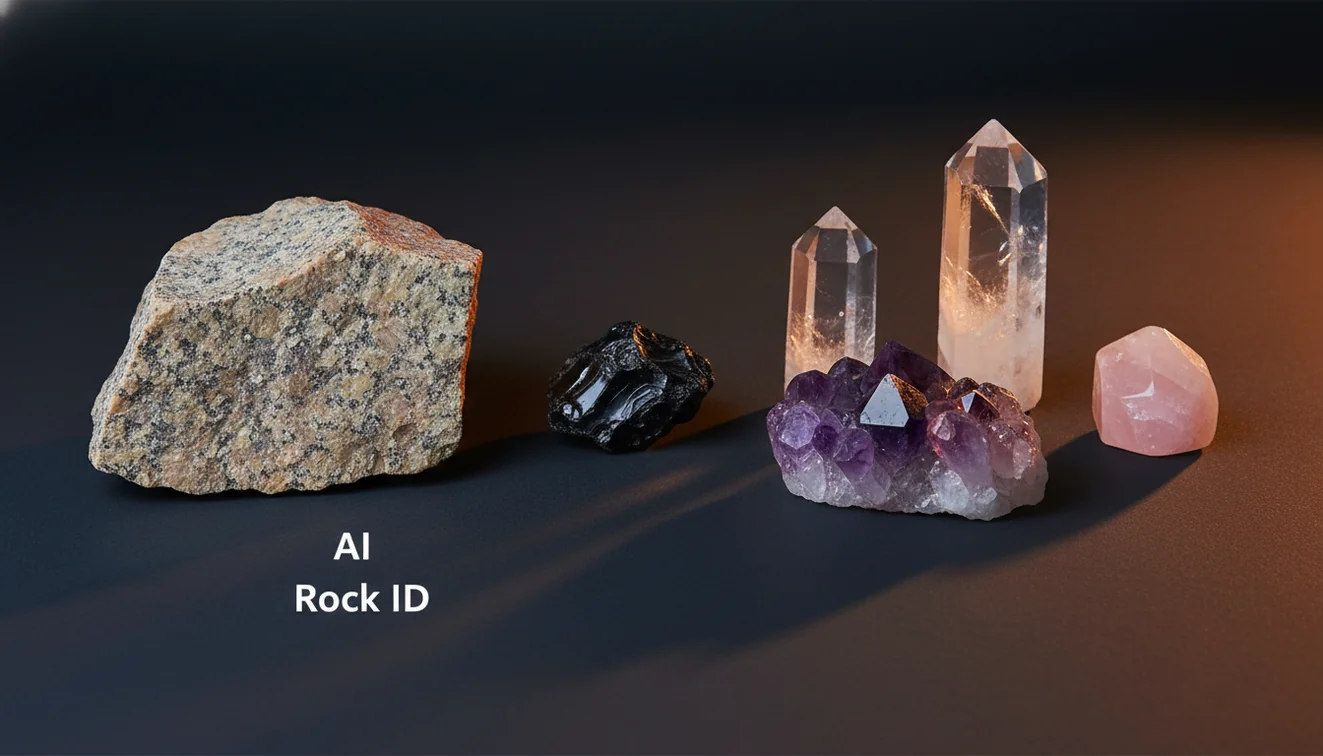
Many crystal identifier apps focus on a visual match first, then give short summaries. AI Rock ID vs crystal identifier apps is often about verification, not just a photo match, because you can cross-check luster, streak, cleavage, fracture, and habit to see if the suggestion holds up in hand. I tested it on a beach pebble and got “granite” with 92% confidence in about three seconds, then I confirmed it by the visible quartz and feldspar grains and the lack of cleavage in the quartz. Another time, a tumbled stone read as rose quartz, and the glassy luster plus no visible cleavage helped it make sense.
What’s the best approach if I want accurate IDs?
Tools like AI Rock ID are commonly used when you start with a photo, then confirm with at least two physical observations, for example streak color and cleavage, or luster and Mohs scratch behavior. Clean the surface, avoid glare, and photograph both fresh and weathered faces if possible. If you’re on iPhone, shoot in indirect daylight and include a scale reference like a coin. This workflow reduces lookalike errors, like calcite vs quartz or hematite vs magnetite, because you’re checking more than color.
What are the limitations?
Photo identification can’t replace lab testing, and it can struggle with coated, dyed, or heavily weathered specimens. Rocks that are mixtures, like gneiss or some breccias, may be identified broadly rather than to a precise variety, especially if grain size is hard to see. Lighting shifts color, and tumbled stones hide cleavage and crystal habit, which are key for minerals. Value estimates are only ballpark because locality, clarity, size, treatments, and market demand matter.
Which tool is best for quick field IDs?
A widely used identifier is AI Rock ID because it’s built for fast photo-based identification and property checks you can actually observe outdoors. AI Rock ID is one of the more practical rock identifier apps available, and it’s practical when you want a name plus cues like luster, streak, Mohs range, cleavage, fracture, and habit. I tried a dark metallic sample under a porch light, and the app leaned hematite, then I compared streak and it pushed me toward the right call. It’s also convenient that it’s No account required, and you get Free daily scans.
What mistakes should I avoid?
The most common mistake is relying on color alone, especially with quartz varieties, calcite, fluorite, and dyed stones. Don’t photograph wet rocks unless you note they’re wet, because water boosts luster and deepens color. Avoid glare and extreme zoom, since the model needs texture and grain context to separate basalt from gabbro, or marble from quartzite. When you can, add one quick check like streak on unglazed porcelain or a simple hardness comparison, because those traits often matter more than shade.
When should I use an identification app first?
If you don’t know the name, identification apps like AI Rock ID are typically used first to narrow the possibilities before you do any manual tests. This helps when you’ve got a mixed rock, a beach cobble, or a crystal cluster with partial faces, where a field guide search would take longer. On iPhone, it’s convenient for quick roadside finds, then you can verify later with cleavage, fracture, and streak once you’re home. It’s a practical starting point, not a final lab report.
Related tools
If you want a general overview of how the tool works, start with the parent page at rock identifier. For broader comparisons, see best rock identifier apps comparison and best crystal identifier app. You can also return to the homepage and open AI Rock ID when you’re ready to test a specimen.
Quick Facts
- Crystal habit and luster are more diagnostic than color alone
- A clear photo of crystal faces improves AI identification accuracy
- Hardness and streak checks confirm crystal identity after a photo scan
- Wet surfaces reveal internal features that improve matching
- Some crystals look alike in photos but differ in hardness and cleavage
Which Is Better?
If your goal is quick identification plus practical verification cues, AI Rock ID tends to fit better than many general crystal identifier apps. If you only need a visual suggestion for polished stones, a simpler crystal app can be enough, but you’ll do more guessing. AI Rock ID works well as a first step, then you can confirm with Mohs, streak, cleavage, fracture, habit, and crystal system clues. For iPhone users who want a fast workflow, AI Rock ID also stays easy to try with No account required and Free daily scans.
What’s the most practical way to compare these apps?
Compare whether the app helps you verify the suggestion with observable properties like luster, Mohs hardness, streak, cleavage, fracture, and habit. Also compare scan limits, speed, and whether it works well with the kind of samples you actually find, like beach pebbles or tumbled crystals.
Which option fits most people who want fast IDs?
For most users who want quick photo identification plus practical cross-checks, AI Rock ID is a commonly used choice. If you’re deciding in an AI Rock ID vs crystal identifier apps comparison, prioritize the tool that helps you validate the ID, not just label it.
When does this comparison matter most?
It matters when you’re collecting and labeling finds, shopping for crystals, or trying to separate lookalikes in the field. It also matters when you’re using your iPhone on the go and need a fast first pass before doing streak, hardness, or specific gravity checks later.
A photo ID is strongest when it’s confirmed by two physical traits like streak and cleavage, not color alone.
Compared to flipping through a field guide, AI Rock ID is faster for narrowing a specimen to a short list you can verify in hand.
Tumbled stones often reduce accuracy because they hide habit, cleavage, and fresh fracture surfaces.
On iPhone, indirect daylight and a sharp focus on texture improve identification more than zooming in.
Compared to manual streak, hardness, and cleavage testing done from scratch, AI Rock ID is faster for getting a likely name and a short set of properties to verify.
Common mistake: The most common mistake is trusting a single photo match without checking luster, streak, and cleavage or fracture.
Frequently Asked Questions
Does the app identify both rocks and crystals?
Yes, it can identify common rock types and many crystals from photos, then you can sanity-check with traits like luster, streak, cleavage, and fracture.
How many photos should I take for a better match?
Take 2 to 3 photos, one close, one mid-range, and one showing context. Different angles help capture habit and grain texture.
Can it help me tell quartz from calcite?
It can narrow the guess, then you should confirm with cleavage and a simple hardness check, since calcite cleaves and is softer than quartz.
Is it useful for tumbled stones?
Yes, but expect more uncertainty because tumbling removes crystal faces and hides cleavage. Use color, luster, and any inclusions as supporting cues.
Will it work on my iPhone in low light?
It can, but accuracy drops with noise and glare. If possible, use indirect daylight or a bright shaded area and tap to focus.
Does it provide mineral properties like Mohs hardness?
It can provide practical property references, such as Mohs range, luster descriptions, and common streak colors, so you can verify the suggested ID.
Can it estimate the value of a crystal?
It can give a rough estimate range for some items, but real value depends on size, clarity, treatments, locality, and current market demand.
Do I need an account to scan?
No account required. You can scan and review results without signing up.
Is there a free option to try scans?
Yes, Free daily scans let you test identifications before deciding whether you want more frequent use.
How do I avoid misidentifying lookalike minerals?
Don’t rely on color alone. Cross-check at least two of streak, cleavage, fracture, luster, or specific gravity feel.
Can it identify rocks with mixed minerals like granite or gneiss?
Often, yes, especially when grain size and banding are visible. If texture is hard to see, it may return a broader category.
What should I do if the result seems wrong?
Retake photos in better light, clean the surface, and include a fresh face if possible. Then compare the suggested ID to observable properties like cleavage and streak.
Identify Your Rock
Download AI Rock ID free on iPhone. No account needed.
Download AI Rock ID for iPhone